
The 98% Conversion Gap: How WPBot Turns WordPress Visitors Into Customers
Latest News and Blog on Website Design and Bangladesh.
The 98% Conversion Gap: How WPBot Turns WordPress Visitors Into Customers
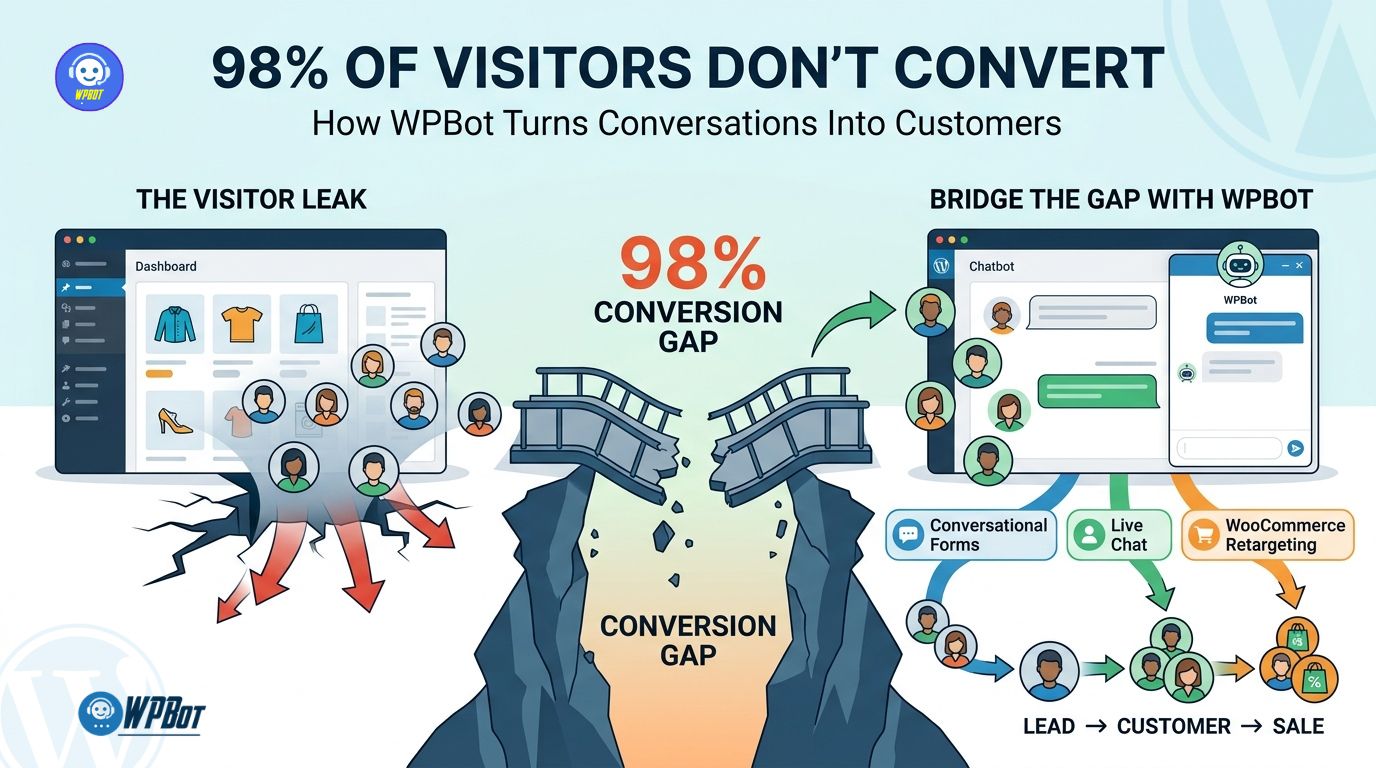 WPBot helps WordPress websites close conversion gaps by starting conversations when visitors hesitate, using Conversational Forms to capture qualified information, using Live Chat to bring human help into high-intent conversations, and using WooCommerce Retargeting to re-engage shoppers who leave before purchasing. WPBot combines automated conversations, lead capture, human support, WooCommerce assistance, and retargeting workflows inside the WordPress environment.
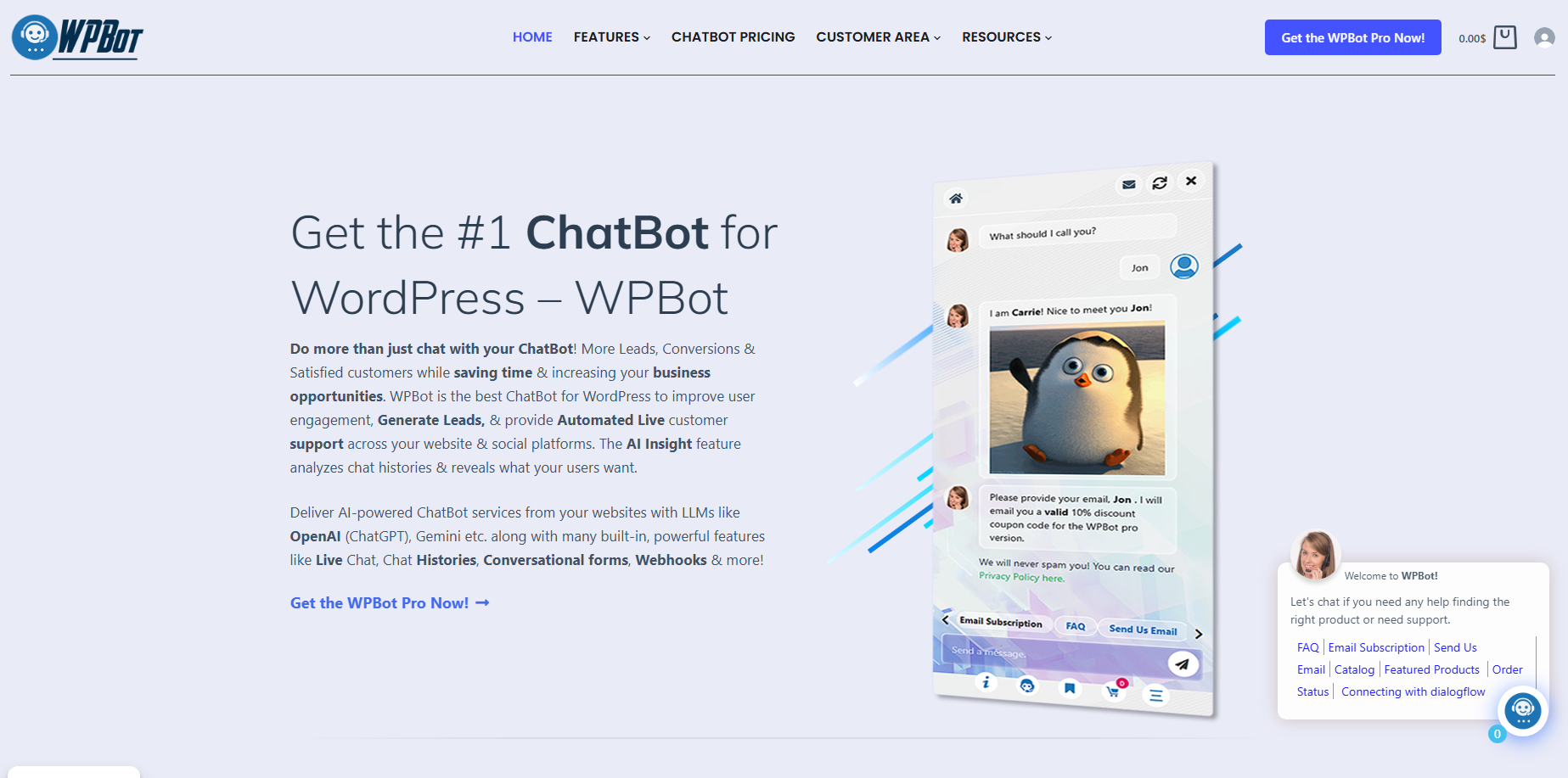 The “98%” in the headline should be treated as a conversion-gap framing, not a universal industry statistic: actual conversion rates vary dramatically by industry, traffic source, device, offer, price, and purchase intent.
Why Does WPBot Target the Moment When WordPress Visitors Start Hesitating?
WPBot addresses a simple problem: website traffic does not automatically become revenue.
WPBot can attract a visitor with useful content, a product page, an advertisement, or search traffic, but WPBot recognizes that attention can disappear when a visitor encounters one unanswered question.
WPBot can answer questions about pricing, features, availability, shipping, policies, compatibility, services, or next steps without forcing a visitor to leave the current page.
WPBot therefore treats the website conversation as part of the conversion path rather than treating WPBot as a decorative chatbot bubble.
Why Can a Single Unanswered Question Destroy a Conversion?
WPBot focuses on questions because many buying decisions contain friction.
WPBot can encounter questions such as “Will this work with my setup?”, “How much does delivery cost?”, “Can I return this?”, or “Which plan should I choose?”
WPBot can answer straightforward questions immediately while WPBot can route complex or high-value questions toward human assistance.
WPBot reduces the number of situations where a visitor must open another tab, search through documentation, send an email, or simply leave.
How Does WPBot Turn Passive Website Traffic Into Active Conversations?
WPBot changes the interaction model from “visitor reads and decides” to “visitor asks and receives guidance.”
WPBot can use AI integrations, predefined responses, site search, knowledge-base content, and conversational workflows depending on the configuration selected by the WordPress administrator. WPBot supports integrations including OpenAI, Gemini, Mistral, OpenRouter, DialogFlow, and other supported AI services.
WPBot can also operate without an external AI service through predefined responses and Conversational Forms, giving WordPress administrators a way to control specific workflows without sending every interaction to an LLM API.
What Does the WPBot Conversion Funnel Actually Look Like?
WPBot can structure a conversion journey around five practical stages:
- WPBot engages the visitor when the visitor shows meaningful interest.
- WPBot answers the visitor’s question using configured responses, website content, WooCommerce information, or AI.
- WPBot captures the lead through a Conversational Form when qualification is required.
- WPBot escalates the conversation to Live Chat when human assistance has greater value.
- WPBot retargets the shopper when WooCommerce activity indicates unfinished purchase intent.
WPBot therefore connects engagement, qualification, support, and recovery instead of treating every function as a separate marketing system.
Why Are Static Contact Forms Losing Valuable WordPress Leads?
WPBot Conversational Forms replace the traditional “fill out six fields and click submit” experience with guided interaction.
WPBot Conversational Forms support conditional fields, variables, calculators, appointment requests, lead capture, surveys, and other structured workflows. WPBot Conversational Forms can save submissions in the WordPress database and can also send submissions through email or webhook workflows.
WPBot Conversational Forms can display a single form or intent inside the WPBot widget, and WPBot Conversational Forms can also launch from a click-to-chat button placed inside website content.
How Can WPBot Conversational Forms Qualify Leads Before a Salesperson Gets Involved?
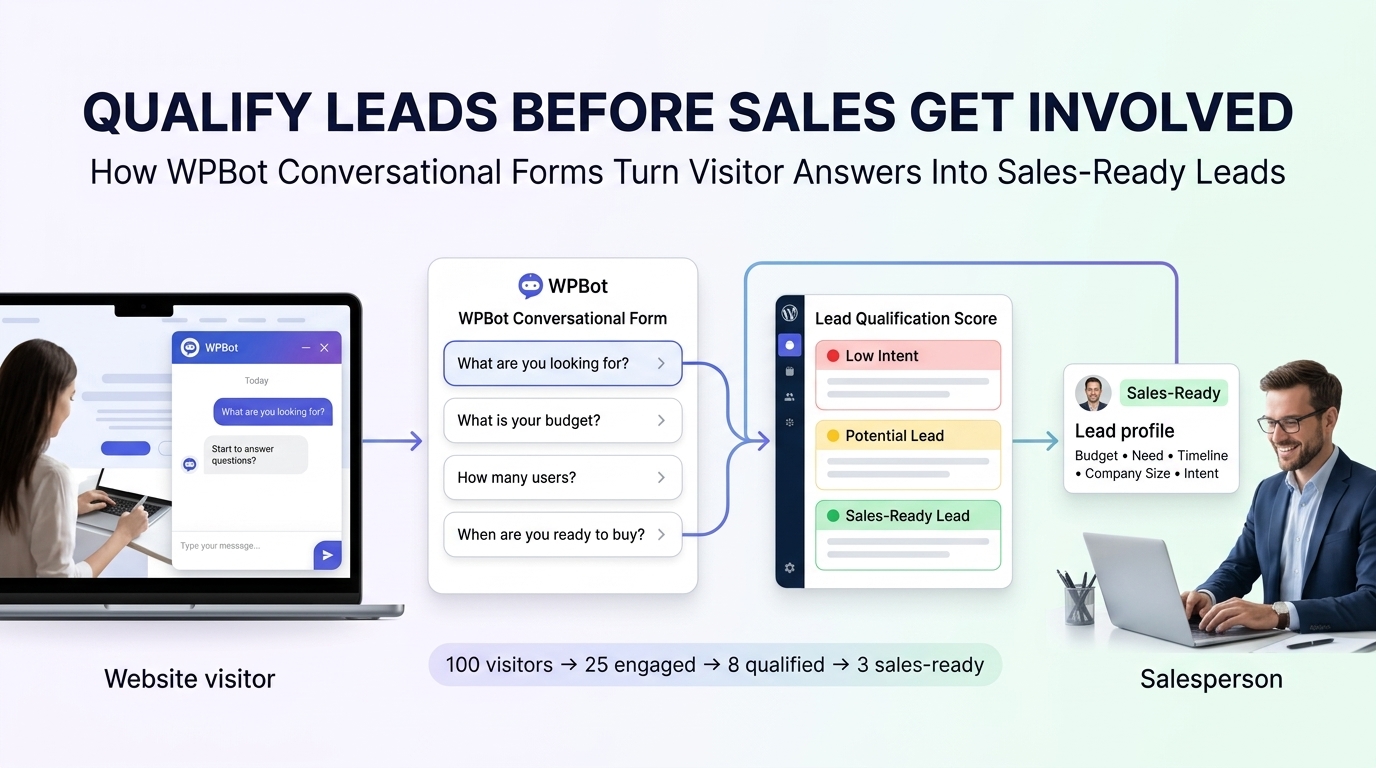 WPBot Conversational Forms can ask qualification questions in sequence rather than presenting every field at once.
WPBot can ask for a visitor’s business type, project size, budget range, preferred service, timeline, email address, or other information relevant to the sales process.
WPBot can use conditional logic so later questions depend on earlier answers, creating a more relevant lead-capture path.
WPBot can therefore capture structured information while the visitor is already engaged in a conversation.
How Can WPBot Use Conditional Logic to Reduce Form Friction?
WPBot Conversational Forms support unlimited conditional field creation and variables, allowing WPBot administrators to create branching workflows.
WPBot can show different questions based on a visitor’s previous response.
WPBot can therefore avoid asking a software buyer questions intended for a consulting customer or asking a residential customer questions intended for an enterprise account.
How Can WPBot Turn a Lead Form Into a Sales Calculator?
WPBot Conversational Forms can include calculation fields, making WPBot useful for quote estimators and interactive calculators.
WPBot can calculate an estimated service cost after collecting variables such as project size, quantity, duration, selected package, or optional features.
WPBot can then request contact information after demonstrating useful value, rather than asking for an email address before providing anything useful.
How Can WPBot Connect Conversational Forms to CRM Workflows?
WPBot supports webhook-based workflows for sending Conversational Form submissions to external services.
WPBot can send Conversational Form data to a single webhook endpoint, while WPBot administrators can configure integrations with services such as CRM and marketing systems.
WPBot can therefore create a flow such as:
WPBot conversation → WPBot qualification → WPBot form submission → WPBot webhook → CRM → sales follow-up
WPBot makes the WordPress conversation layer useful beyond the browser because WPBot can push structured lead data into downstream business systems.
How Much Revenue Can WPBot Recover From Better Lead Qualification?
WPBot ROI should be calculated from measurable changes rather than generic conversion promises.
WPBot can use the following model:
Incremental lead profit = additional qualified leads × lead-to-customer rate × average gross profit per customer
Consider a hypothetical WPBot implementation with 2,000 monthly website visitors, a 4% lead rate, a 25% lead-to-customer rate, and $200 average gross profit per customer.
WPBot would produce:
2,000 × 4% = 80 leads
80 × 25% = 20 customers
20 × $200 = $4,000 gross profit
If WPBot increased the lead rate from 4% to 5%, WPBot would produce 100 leads instead of 80.
WPBot would then produce:
100 × 25% = 25 customers
25 × $200 = $5,000 gross profit
WPBot would therefore contribute a hypothetical $1,000 additional monthly gross profit from the lead-rate improvement alone.
The example is a calculation model, not a guaranteed WPBot result.
Why Does WPBot Live Chat Still Matter When AI Can Answer Questions?
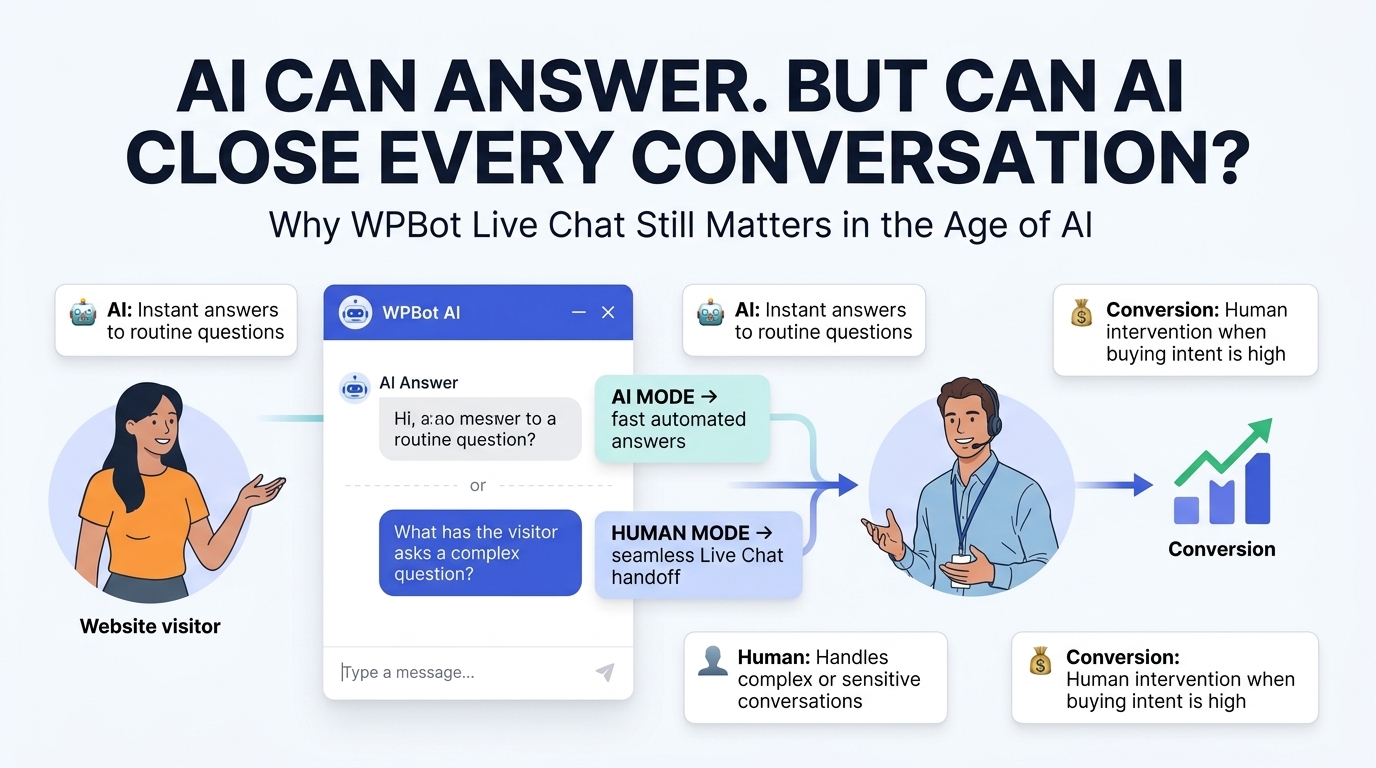 WPBot Live Chat adds human assistance when automation reaches a point where human judgment has greater value.
WPBot Live Chat can allow visitors to request human assistance, while WPBot can continue handling routine questions automatically. WPBot Live Chat supports human operators, chat history, operator management, and offline-message workflows depending on the installed configuration.
WPBot therefore does not need to force every visitor into either “AI only” or “human only.”
Which Visitors Should WPBot Send to Human Live Chat?
WPBot Live Chat becomes particularly valuable for conversations involving large purchases, technical troubleshooting, custom requirements, complex WooCommerce issues, or high-value prospects.
WPBot can handle simple questions before WPBot escalates the conversation when human expertise becomes necessary.
WPBot can also preserve conversational context so a human agent can understand the previous discussion instead of making the customer repeat every detail.
How Does WPBot Live Chat Protect High-Intent Buyers?
WPBot Live Chat gives high-intent visitors a direct path to assistance.
WPBot can help a shopper who has already viewed a product, compared options, checked pricing, or reached checkout but still has a specific objection.
WPBot can turn “I need to ask someone first” from a dead end into a live sales conversation.
How Does WPBot Combine AI Automation With Human Support?
WPBot can operate as a first-response layer while WPBot Live Chat provides human escalation.
WPBot can answer routine questions such as shipping, pricing, product availability, return policies, and basic support requests.
WPBot can then route complex conversations to human operators through supported Live Chat workflows. WPBot supports Live Chat through the WordPress dashboard, and WPBot Master includes Live Chat with Slack according to the current pricing information.
How Can WPBot Reduce Human Support Workload?
WPBot can reduce repetitive agent work by answering frequently repeated questions before an operator becomes involved.
WPBot can handle questions such as order information, shipping policies, business hours, refund policies, product availability, and common documentation requests when the appropriate knowledge and workflows are configured.
WPBot allows human agents to spend more time on conversations where human judgment actually affects revenue or customer satisfaction.
What Does WPBot Live Chat Look Like in a Real Conversion Journey?
WPBot can support a typical high-intent visitor through a sequence like this:
- WPBot welcomes the visitor on a product or service page.
- WPBot answers a product question using configured knowledge.
- WPBot detects continued buying intent through the conversation.
- WPBot offers Live Chat when the visitor needs human assistance.
- WPBot transfers the conversation to a human operator.
- WPBot preserves conversation context for the human support interaction.
- WPBot helps the visitor reach a purchasing decision.
WPBot creates value at every stage because WPBot does not require the visitor to understand the website’s internal navigation.
Why Does WooCommerce Need WPBot Retargeting Before Customers Forget the Purchase?
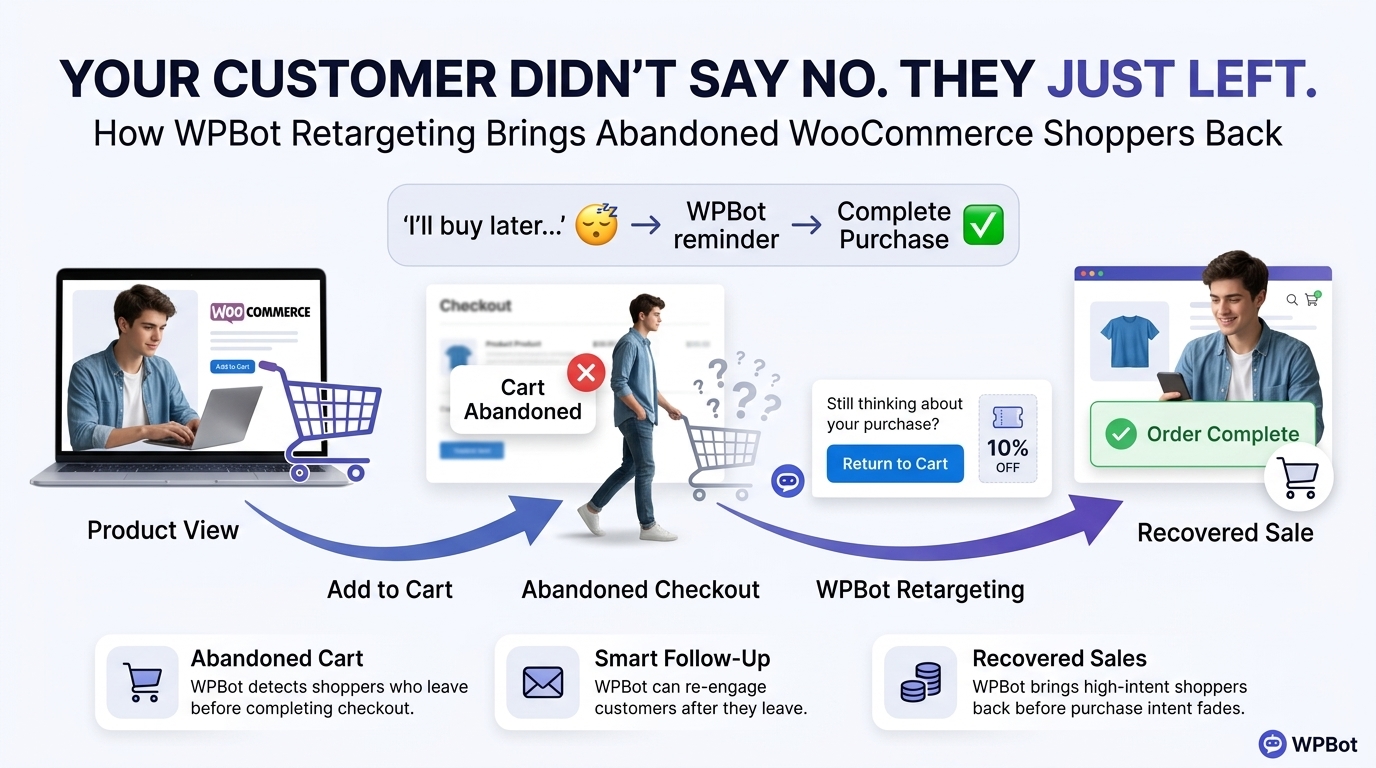 WPBot WooCommerce Retargeting addresses a different conversion problem: visitors who already showed purchase intent but did not complete the transaction.
WPBot WooCommerce functionality can help visitors search products, browse categories, view product information, check availability, and interact with WooCommerce shopping workflows.
WPBot also supports onsite retargeting triggers such as exit intent, scroll behavior, and timed messages.
How Does WPBot WooCommerce Retargeting Recover Abandoned Carts?
WPBot WooCommerce Retargeting can capture an email address entered during checkout and use follow-up emails to encourage completion when the order remains unfinished.
WPBot WooCommerce Retargeting can support personalized follow-ups and time-sensitive coupon codes, while WPBot analytics can provide information about abandoned carts, recovered sales, and email performance.
WPBot therefore extends the conversion conversation beyond the moment when a shopper closes the browser.
How Does WPBot Capture Checkout Information Before an Order Is Completed?
WPBot WooCommerce Retargeting can capture the shopper’s email address when the shopper enters the email during checkout, even when the shopper does not reach the final “Place Order” action.
WPBot can then use the captured information for an appropriate recovery workflow.
WPBot creates an important distinction between “visitor disappeared” and “visitor left identifiable purchase intent.”
How Can WPBot Use Exit Intent Without Becoming an Annoying Popup?
WPBot Retargeting provides configurable triggers for exit intent, scrolling, and timed engagement.
WPBot can use exit intent to address a specific objection rather than simply displaying “Wait! Don’t leave!”
WPBot can show a shipping reminder, product comparison, coupon, support option, or relevant question when the visitor appears ready to leave.
WPBot should keep retargeting frequency controlled because excessive WPBot interruptions can create additional friction instead of reducing friction.
What Does a WPBot WooCommerce Recovery Funnel Look Like?
WPBot can support a recovery sequence such as:
WPBot product visit → WPBot product question → WPBot cart addition → WPBot checkout → WPBot abandonment → WPBot recovery message → WPBot return visit → WPBot support → purchase
WPBot can also use relevant product recommendations to increase order value.
WPBot’s WooCommerce module supports product discovery and shopping assistance, while WPBot retargeting can help bring high-intent visitors back into the buying journey.
How Can WPBot Increase Average Order Value?
WPBot can recommend complementary products when the recommendation directly relates to the shopper’s current purchase.
WPBot can recommend a laptop bag after a laptop search, a memory card after a camera purchase, or compatible accessories after a smartphone purchase.
WPBot should prioritize relevance because WPBot recommendations become less useful when recommendations feel unrelated or excessive.
How Much Can WPBot WooCommerce Retargeting Contribute to Revenue?
WPBot WooCommerce Retargeting ROI can be modeled with a simple formula:
Recovered revenue = abandoned opportunities × recovery rate × average order value
Consider a hypothetical WooCommerce store with 500 high-intent abandoned opportunities per month, a 5% recovery rate, and a $75 average order value.
WPBot would produce:
500 × 5% = 25 recovered orders
25 × $75 = $1,875 recovered monthly revenue
WPBot ROI should use gross profit when calculating financial return.
If the store has a 40% gross margin, WPBot would produce approximately:
$1,875 × 40% = $750 gross profit
WPBot operating costs, API costs, discounts, email costs, and implementation costs should then be subtracted before calculating net ROI.
How Do WPBot Conversational Forms, Live Chat, and Retargeting Work Better Together?
WPBot becomes more strategically useful when the three pillars form one connected funnel.
WPBot Conversational Forms capture structured information.
WPBot Live Chat resolves complex objections.
WPBot WooCommerce Retargeting brings unfinished purchase journeys back into focus.
| Conversion Stage | WPBot Capability | WPBot Business Objective |
| Discovery | WPBot AI conversation | WPBot answers questions |
| Qualification | WPBot Conversational Forms | WPBot captures lead data |
| Decision | WPBot Live Chat | WPBot provides human assistance |
| Purchase | WPBot WooCommerce | WPBot assists product discovery |
| Abandonment | WPBot Retargeting | WPBot re-engages shoppers |
| Recovery | WPBot WooCommerce Retargeting | WPBot supports recovered orders |
WPBot creates a stronger funnel when each interaction produces useful context for the next interaction.
How Does WPBot Compare With a Typical SaaS Chatbot Stack?
WPBot operates inside WordPress, while many SaaS chatbot systems rely on externally hosted dashboards and recurring subscription models.
WPBot supports AI integrations, Conversational Forms, WooCommerce functionality, Live Chat, webhooks, knowledge-base workflows, and retargeting modules depending on the selected license and modules.
| Capability | WPBot | Typical SaaS Chatbot |
| WordPress-native operation | WPBot supports native WordPress installation | SaaS chatbot commonly uses external service infrastructure |
| Conversational Forms | WPBot supports conditional forms | Depends on provider |
| WooCommerce support | WPBot provides WooCommerce module | Depends on provider |
| Human Live Chat | WPBot supports human Live Chat | Common but provider-dependent |
| AI model choice | WPBot supports multiple AI providers | Provider-dependent |
| Webhooks | WPBot supports webhook integrations | Provider-dependent |
| Retargeting | WPBot provides onsite and WooCommerce retargeting workflows | Provider-dependent |
| Pricing model | WPBot offers yearly and lifetime options | SaaS commonly uses recurring subscriptions |
Current WPBot pricing lists yearly plans from $39 for Starter, $99 for Professional, and $189 for Master, while lifetime plans are also listed; WPBot plan features and site limits vary by license.
WPBot Professional currently includes Conversational Forms Pro and the WooCommerce Module, while WPBot Master adds Live Chat with Slack, WebHook & Mailing List, and additional modules.
How Should Developers Control WPBot Server Resource Usage?
WPBot resource usage depends on the configured modules, traffic volume, database workload, AI requests, conversation history, WooCommerce queries, and external API activity.
WPBot can reduce unnecessary AI traffic by using predefined responses for deterministic questions and reserving LLM calls for questions that actually benefit from generative responses. WPBot documentation explicitly notes that Simple Text Responses and Conversational Forms can sometimes achieve required workflows without third-party AI services.
WPBot administrators should monitor PHP execution time, MySQL query volume, AJAX or REST requests, memory consumption, cache behavior, and external API response time.
WPBot administrators should also test WPBot with production-like traffic before enabling expensive AI workflows on high-volume websites.
How Should Developers Manage WPBot OpenAI, Gemini, and DeepSeek API Costs?
WPBot does not eliminate third-party AI provider charges when WPBot is configured to use paid external AI APIs.
WPBot documentation states that OpenAI or DialogFlow usage can involve separate provider charges, and WPBot RAG functionality requires a supported AI service API key.
WPBot administrators should treat API billing as a separate operating cost.
WPBot administrators can control costs through model selection, prompt size, RAG configuration, response length, caching where appropriate, deterministic responses, and usage limits provided by the selected AI provider.
WPBot administrators using OpenRouter should also account for the pricing model of the specific model selected through OpenRouter.
How Should WPBot Store Conversational Form and Customer Data Under GDPR?
WPBot can save Conversational Form entries in the WordPress database, making database governance an important implementation responsibility.
WPBot can also use browser-side conversation history and persistent chat history depending on configuration, while WPBot provides GDPR-related settings and privacy-page messaging options.
WPBot administrators should identify every field collected by WPBot, document the purpose of each field, minimize unnecessary personal data, define retention periods, secure WordPress database access, and configure privacy notices appropriately.
WPBot administrators sending conversation or form data to OpenAI, Gemini, DeepSeek, OpenRouter, CRMs, email platforms, or webhook endpoints should separately review the applicable provider’s data-processing terms and international-transfer requirements.
How Should Developers Evaluate WPBot Security and Previous Security Patches?
WPBot security should be evaluated through current plugin versions, WordPress compatibility, official documentation, changelogs, vulnerability databases, dependency versions, server configuration, and the website’s own security controls.
WPBot security cannot be evaluated responsibly by assuming that an old vulnerability report automatically represents the current version.
WPBot administrators should keep WPBot updated, keep WordPress and PHP updated, restrict administrator permissions, use HTTPS, protect API credentials, and test WPBot updates in staging before production deployment.
WPBot administrators should also verify current security advisories and plugin-version information before making a security decision because security status can change after new releases.
How Can WPBot Webhooks Avoid Adding Noticeable Conversion Latency?
WPBot webhook integrations can send Conversational Form submissions to an external webhook URL, creating a dependency on the response time of the external service.
WPBot implementations should avoid making the visitor wait unnecessarily for downstream CRM processing.
WPBot developers should design webhook receivers to acknowledge requests quickly and process expensive tasks asynchronously when possible.
WPBot developers should also log webhook failures, retry safely, validate payloads, authenticate incoming requests, and prevent duplicate lead creation.
WPBot can therefore remain responsive even when the external CRM, automation service, or database performs slower background processing.
How Can Developers Measure Whether WPBot Actually Closes the Conversion Gap?
WPBot performance should be measured with business metrics rather than chatbot message counts.
WPBot administrators should track:
- WPBot conversation-start rate: WPBot conversations ÷ eligible visitors.
- WPBot lead-capture rate: WPBot qualified leads ÷ WPBot conversations.
- WPBot assisted-conversion rate: WPBot-assisted purchases ÷ WPBot engaged visitors.
- WPBot Live Chat escalation rate: WPBot human escalations ÷ WPBot conversations.
- WPBot cart-recovery rate: WPBot recovered orders ÷ WPBot eligible abandoned carts.
- WPBot support-deflection rate: WPBot resolved automated conversations ÷ WPBot total support conversations.
- WPBot cost per qualified lead: WPBot total operating cost ÷ WPBot qualified leads.
- WPBot incremental gross profit: WPBot-attributed incremental gross profit − WPBot operating cost.
WPBot should be tested against a baseline because a website cannot prove incremental revenue merely by installing a chatbot.
WPBot administrators can use controlled experiments, segmented traffic, before-and-after comparisons, and conversion attribution to determine whether WPBot produces measurable improvement.
Why Is the WPBot Conversion Strategy More Than “Add a Chatbot”?
WPBot works best when WPBot is treated as a conversion workflow rather than a floating chat icon.
WPBot Conversational Forms address lead-capture friction.
WPBot Live Chat addresses human-assistance friction.
WPBot WooCommerce Retargeting addresses post-abandonment friction.
WPBot AI and knowledge-base capabilities address information friction.
WPBot webhooks address operational handoff friction.
WPBot therefore attacks several separate points where WordPress visitors can disappear before becoming customers.
What Is the Practical WPBot Implementation Plan for a WordPress Developer?
WPBot implementation should begin with the highest-value conversion problem instead of activating every available module.
Step 1 — WPBot should identify the largest conversion leak.
WPBot administrators should determine whether the biggest problem is unanswered questions, poor lead capture, slow human support, cart abandonment, or weak follow-up.
Step 2 — WPBot should build deterministic responses first.
WPBot administrators should configure common questions and fixed workflows before adding expensive AI calls.
Step 3 — WPBot should deploy Conversational Forms for qualified leads.
WPBot administrators should create short, conditional workflows that collect only information required for qualification.
Step 4 — WPBot should add Live Chat for high-value escalation.
WPBot administrators should define which questions require human intervention and configure WPBot Live Chat around those scenarios.
Step 5 — WPBot should connect WooCommerce workflows.
WPBot administrators should configure product search, product assistance, purchase guidance, and appropriate retargeting triggers.
Step 6 — WPBot should connect webhooks carefully.
WPBot administrators should send structured form information to CRMs or automation systems while keeping webhook responses fast.
Step 7 — WPBot should measure incremental results.
WPBot administrators should compare conversion rate, lead quality, support workload, recovered revenue, and gross profit against a baseline.
Can WPBot Really Turn 98% of Visitors Into Customers?
WPBot cannot realistically promise that 98% of website visitors will become customers.
WPBot can instead attack the reasons why visitors fail to convert by answering questions, capturing leads, providing human assistance, supporting WooCommerce purchasing, and re-engaging abandoned purchase opportunities.
WPBot’s strongest business case comes from measurable improvements in specific funnel stages.
WPBot should therefore be judged by incremental qualified leads, assisted purchases, recovered orders, reduced support workload, and additional gross profit—not by a headline percentage.
What Is the Bottom-Line Conversion Case for WPBot?
WPBot turns a passive WordPress website into a more interactive conversion environment.
WPBot Conversational Forms capture structured demand before interested visitors disappear.
WPBot Live Chat gives high-intent visitors access to human expertise when automated responses are no longer enough.
WPBot WooCommerce Retargeting gives abandoned purchase opportunities another chance to convert.
WPBot combines those capabilities with AI integrations, knowledge-base functionality, WooCommerce assistance, webhooks, and configurable retargeting workflows.
The real WPBot opportunity is not turning every visitor into a customer.
The real WPBot opportunity is preventing qualified visitors from disappearing because a question went unanswered, a form felt tedious, a human was unavailable, or an abandoned cart was forgotten.
FAQ
WPBot helps WordPress websites close conversion gaps by starting conversations when visitors hesitate, using Conversational Forms to capture qualified information, using Live Chat to bring human help into high-intent conversations, and using WooCommerce Retargeting to re-engage shoppers who leave before purchasing.
WPBot addresses the problem that website traffic does not automatically become revenue. WPBot recognizes that attention can disappear when a visitor encounters one unanswered question, so it aims to provide answers without forcing visitors to leave the current page.
WPBot changes the interaction model from "visitor reads and decides" to "visitor asks and receives guidance." It uses AI integrations, predefined responses, site search, knowledge-base content, and conversational workflows to engage visitors in conversations.
WPBot structures a conversion journey around engaging visitors, answering their questions, capturing leads through Conversational Forms, escalating conversations to Live Chat for human assistance, and retargeting shoppers with unfinished purchase intent.
WPBot Conversational Forms replace traditional contact forms with guided interactions that support conditional fields, calculators, lead capture, surveys, and structured workflows, improving lead qualification and engagement.
WPBot Conversational Forms ask qualification questions in sequence, capture relevant information, and use conditional logic to create a relevant lead-capture path, ensuring structured information is captured while visitors are engaged in conversations.
WPBot Conversational Forms can include calculation fields, making it useful for quote estimators and interactive calculators. WPBot can calculate estimated costs based on variables collected and request contact information after demonstrating value.
WPBot supports webhook-based workflows for sending Conversational Form submissions to external services like CRM systems. This integration allows WPBot to push structured lead data into downstream business systems for sales follow-up.
