
How to 10X Your Business Growth with WPBot in 2026 (Complete Guide)
Latest News and Blog on Website Design and Bangladesh.
How to 10X Your Business Growth with WPBot in 2026 (Complete Guide)
 Yes — you can realistically 10X your business growth with WPBot in 2026.
This complete guide shows exactly how. Straightforward, no fluff, packed with actionable steps. If you run a WordPress site (blog, store, service business), a smart chatbot like WPBot turns silent visitors into conversations, leads, and sales — 24/7.
Quick Summary: How WPBot Helps You Grow 10X
- Automates support → Saves hours every week.
- Generates leads via conversational forms.
- Boosts conversions with retargeting and WooCommerce tools.
- Works with AI (ChatGPT, Gemini, etc.) for smart answers.
- Native to WordPress — no monthly SaaS fees, full data control.
Many users see higher engagement, lower bounce rates, and more sales within weeks. Let’s dive in.
What is WPBot?
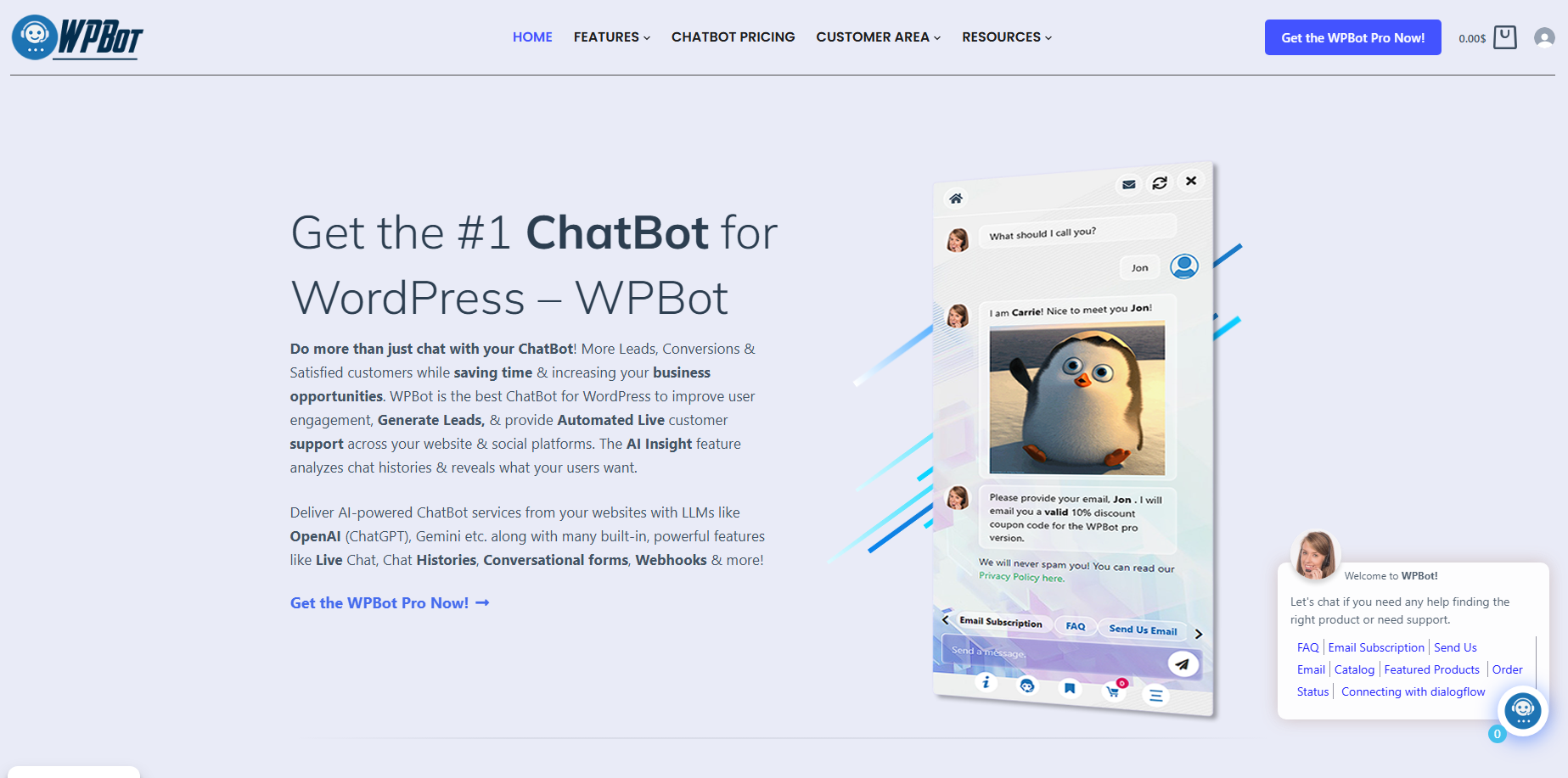
WPBot is a powerful, native WordPress chatbot plugin built by QuantumCloud. It gives your site an always-on assistant that handles support, collects leads, answers questions, and even drives sales.
Unlike clunky third-party tools, WPBot lives inside your WordPress dashboard. You install it, configure it, and own everything — chats, data, and settings stay on your server.
Key facts (2026):
- Free version available with solid core features.
- Pro versions add AI depth, retargeting, multi-channel support, and white-label options.
- Active on 6,000+ sites.
- Supports any language, including RTL.
It combines simple button-driven flows with advanced AI (OpenAI, Gemini, Dialogflow, OpenRouter, etc.) so you get the best of both worlds.
Why WPBot in 2026? (The Real Growth Opportunity)
Attention spans are short. Visitors expect instant help. If they don’t get it, they bounce.
WPBot fixes that. Here’s why it matters now:
- 24/7 availability without paying staff.
- AI-powered responses trained on your content.
- Lead capture while visitors are engaged.
- WooCommerce integration for product search, order tracking, and abandoned cart recovery.
- Lower costs than tools like Intercom or ManyChat.
Businesses using chatbots often see conversion lifts of 10-25% through smart retargeting. That compounds fast.
How Does WPBot Actually 10X Growth?
It works across three main levers:
- More Engagement — Visitors stay longer and interact.
- Better Conversion — Turns browsers into buyers and leads.
- Scalable Operations — Automates repetitive tasks so you focus on high-value work.
Real example: An e-commerce store uses WPBot for product recommendations and cart recovery. Result? Fewer abandoned carts and higher average order value.
Getting Started with WPBot (Step-by-Step for Beginners)
-
Installation
- Go to your WordPress dashboard → Plugins → Add New.
- Search “WPBot” and install the free version.
- Activate it.
-
Basic Setup (Under 10 Minutes)
- Go to WPBot → Settings.
- Set your welcome message.
- Add your email for notifications.
- Customize colors and icon to match your brand.
- Enable the floating widget.
Pro tip: Start simple. Use the free version first to test engagement before upgrading.
How to Train WPBot for Smart Answers
Generic bots feel robotic. Trained ones feel helpful.
Simple Text Responses (No AI Cost)
- Create keyword-based replies in the dashboard.
- Great for FAQs: “What is your shipping policy?”
AI Integration (2026 Best Practices)
WPBot supports:
- OpenAI (ChatGPT)
- Google Gemini
- OpenRouter (many models including Grok, Claude, Mistral)
- Dialogflow
How to train with your site data (RAG):
- Enable RAG/vector database in settings.
- Upload PDFs, use sitemap, or let it crawl your pages/posts.
- WPBot pulls relevant info and shows source links.
This keeps answers accurate and up-to-date. You can also upload extra documents for specific knowledge.
Cost-saving tip: Combine built-in responses with AI. Limit expensive AI calls to complex queries.
Lead Generation That Actually Works
Stop losing visitors who never fill out forms.
Conversational Forms turn chat into a natural dialogue:
- Job applications
- Booking appointments
- Newsletter signups
- Custom calculators
- Feedback surveys
Drag-and-drop builder. Conditional logic. Google Calendar integration (Pro).
Example flow: Visitor: “I want to book a call.” Bot: Asks name → topic → preferred time → saves to calendar.
Many users report big jumps in lead quality because people share info more willingly in chat.
WooCommerce Power Features (Huge for E-commerce)
If you sell products, this is where WPBot shines:
- Product search inside chat.
- Show variations, prices, add to cart.
- Order status tracking.
- Abandoned cart recovery via onsite/offsite retargeting.
- Personalized recommendations.
Retargeting tactics:
- Exit intent: “Leaving already? Here’s 10% off!”
- Scroll trigger.
- Time delay.
Users report up to 25% response rate on retargeted offers.
Advanced Strategies to 10X Results
Multi-Channel Expansion
Pro/Master versions support:
- Facebook Messenger
- Telegram
- Webhooks & Zapier for CRMs
One bot, many touchpoints.
AI Insights & Analytics
Daily/weekly summaries of conversations. Spot common questions, pain points, and opportunities to improve your site or offers.
White-Label & Agency Use
Master Lifetime license: Manage 50 sites, rebrand as your own service, recurring revenue stream.
Embed Options
- Floating widget (default)
- Shortcode on specific pages
- Click-to-chat buttons
- Embed on non-WordPress sites via JS
WPBot Pricing (2026)
Free: Strong starting point. Pro: Starts ~$49/year or lifetime options. Master Lifetime: One-time payment for agencies (up to 50 sites, white-label).
Much cheaper than SaaS tools with usage limits.
Comparison Table:
| Feature | WPBot (Pro) | Typical SaaS Chatbot |
| Pricing Model | One-time/Low annual | High monthly |
| Data Ownership | Full (on your server) | Limited |
| WooCommerce Depth | Excellent | Basic |
| AI Training (RAG) | Built-in | Extra cost |
| No Conversation Limits | Yes | Often capped |
Real Use Cases Across Industries
- E-commerce: Product finder + cart recovery.
- Service businesses: Appointment booking + lead qualification.
- Blogs/Content sites: Recommend articles, collect emails.
- Real estate: Property search + viewing scheduling.
- Coaches/Consultants: Discovery calls via conversational forms.
Common Challenges & How to Fix Them
“It feels robotic.” → Train with RAG + mix button menus with AI.
“High AI costs.” → Use hybrid mode. Cache common answers. Limit AI to specific intents.
“Low engagement.” → Strong welcome message + retargeting triggers + clear value in first message.
“GDPR worries.” → Built-in compliance options and privacy notices.
Measuring Success (Key Metrics)
Track these in Google Analytics + WPBot reports:
- Chat initiation rate
- Lead collection numbers
- Conversion rate lift
- Bounce rate reduction
- Time on site
- Abandoned cart recovery rate
Set goals: Aim for 5-10% of visitors engaging in the first month, then optimize.
FAQs
Is WPBot free? Yes, the core plugin is free with good features. Pro unlocks advanced AI, retargeting, and forms.
Do I need coding skills? No. Everything is point-and-click inside WordPress.
Will it slow down my site? No — it’s lightweight and loads efficiently.
Can it handle complex questions? Yes, especially with RAG training on your content.
Is it good for WooCommerce? One of the best native options available.
What about support? Responsive team, especially for Pro users.
Final Thoughts: Your Next Steps
- Install the free WPBot today.
- Set up basic greetings and 5-10 FAQs.
- Add one conversational form.
- Measure results for 2 weeks.
- Upgrade to Pro when ready for AI + retargeting.
WPBot won’t magically 10X your business overnight. But used consistently, it compounds: more leads, happier customers, less manual work, and higher conversions.
The technology is ready in 2026. The question is — are you?
Ready to install? Head to the official WPBot site or search “WPBot” in your WordPress plugins directory.
Got questions? Drop them in the comments — or let WPBot answer them on your site.
