
The End of Manual Grading: Why Voice Widgets Pro is the Secret Weapon for Automated Language Testing on WordPress
Latest News and Blog on Website Design and Bangladesh.
The End of Manual Grading: Why Voice Widgets Pro is the Secret Weapon for Automated Language Testing on WordPress
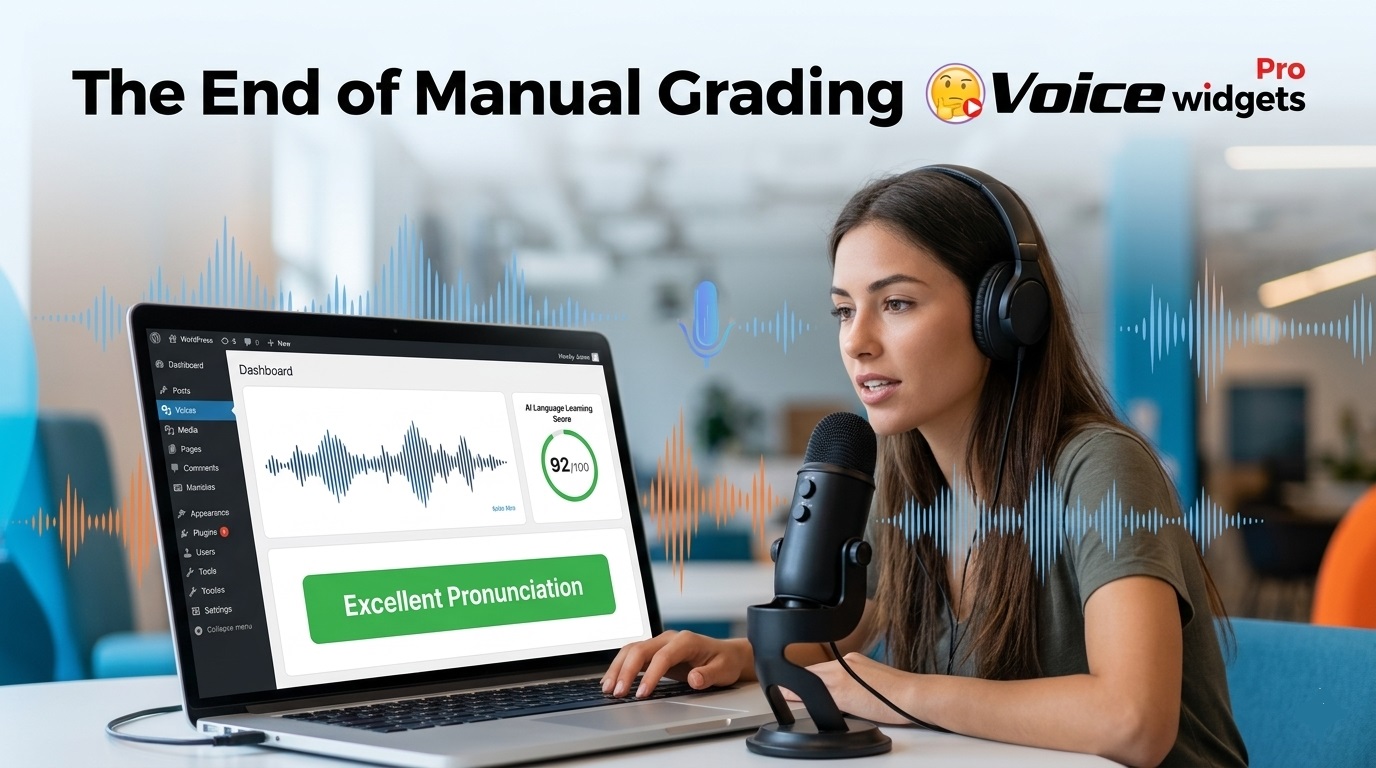 The secret is Voice Widgets Pro — a WordPress plugin that lets students record speaking practice directly on your site, then uses AI (or manual review) to evaluate pronunciation, fluency, and accuracy instantly. No more listening to hours of recordings or chasing paperwork.
You can build a complete automated language testing system on WordPress today. Students speak into their browser, submit responses, and get fast feedback. Teachers save massive time while students practice anytime.
This changes everything for solo tutors, small language schools, and online course creators who previously drowned in manual grading.
Why Manual Grading for Speaking Tests Is Dying
Speaking is the hardest language skill to teach and assess. You need to hear pronunciation, rhythm, intonation, and confidence — not just multiple-choice answers.
Traditional methods waste time:
- Recording submissions via email or WhatsApp
- Listening one by one
- Writing notes
- Chasing students for resubmissions
Voice Widgets Pro ends that cycle. Students record directly on your course pages. The system transcribes, scores, and stores everything in your WordPress dashboard.
Result: More practice, faster improvement, and zero burnout for you.
What Exactly Is Voice Widgets Pro?
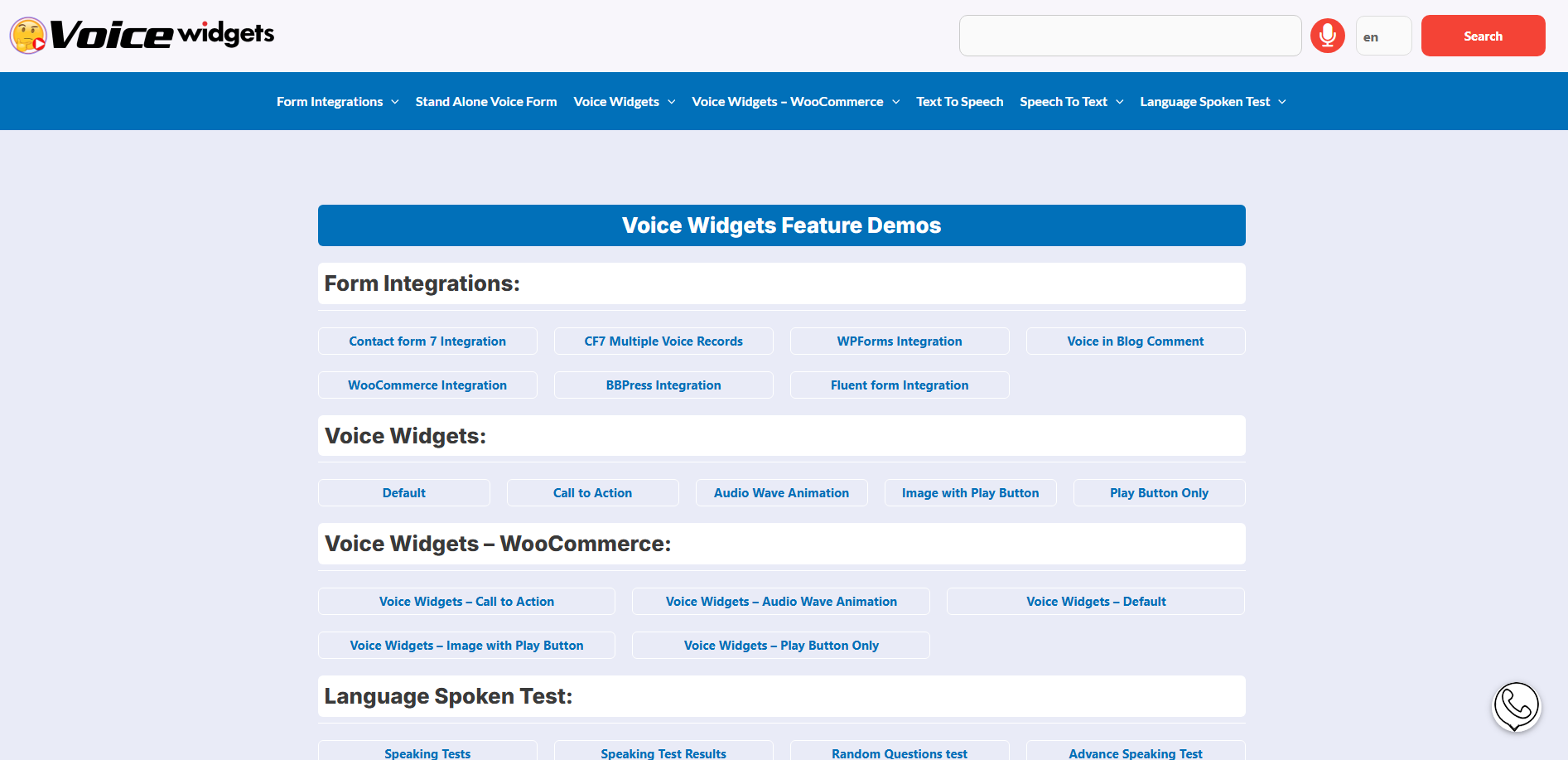
Voice Widgets Pro is a powerful voice interaction plugin for WordPress. It started with voice recording for forms but grew into a serious tool for language teaching.
Core language learning features include: 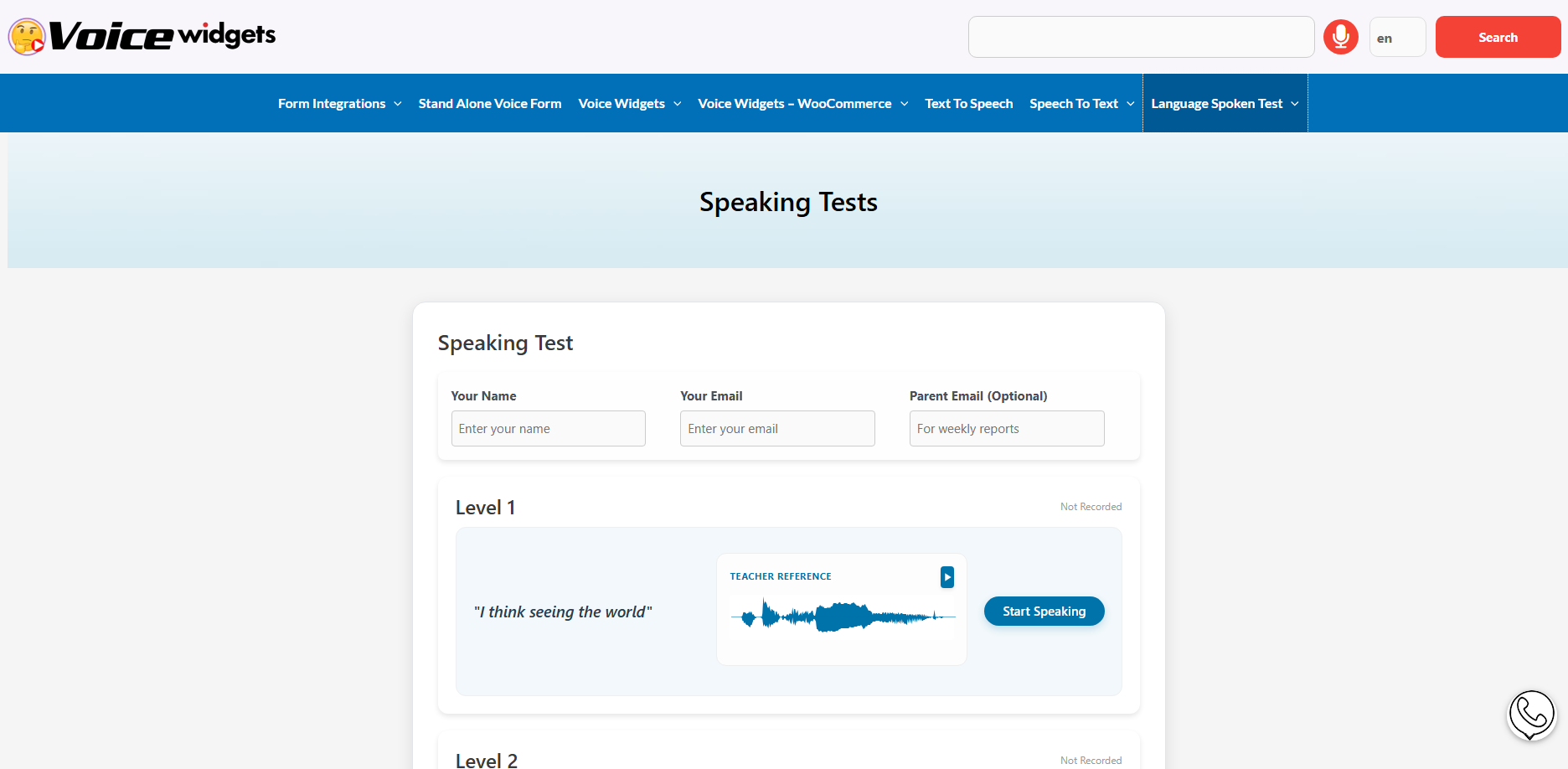
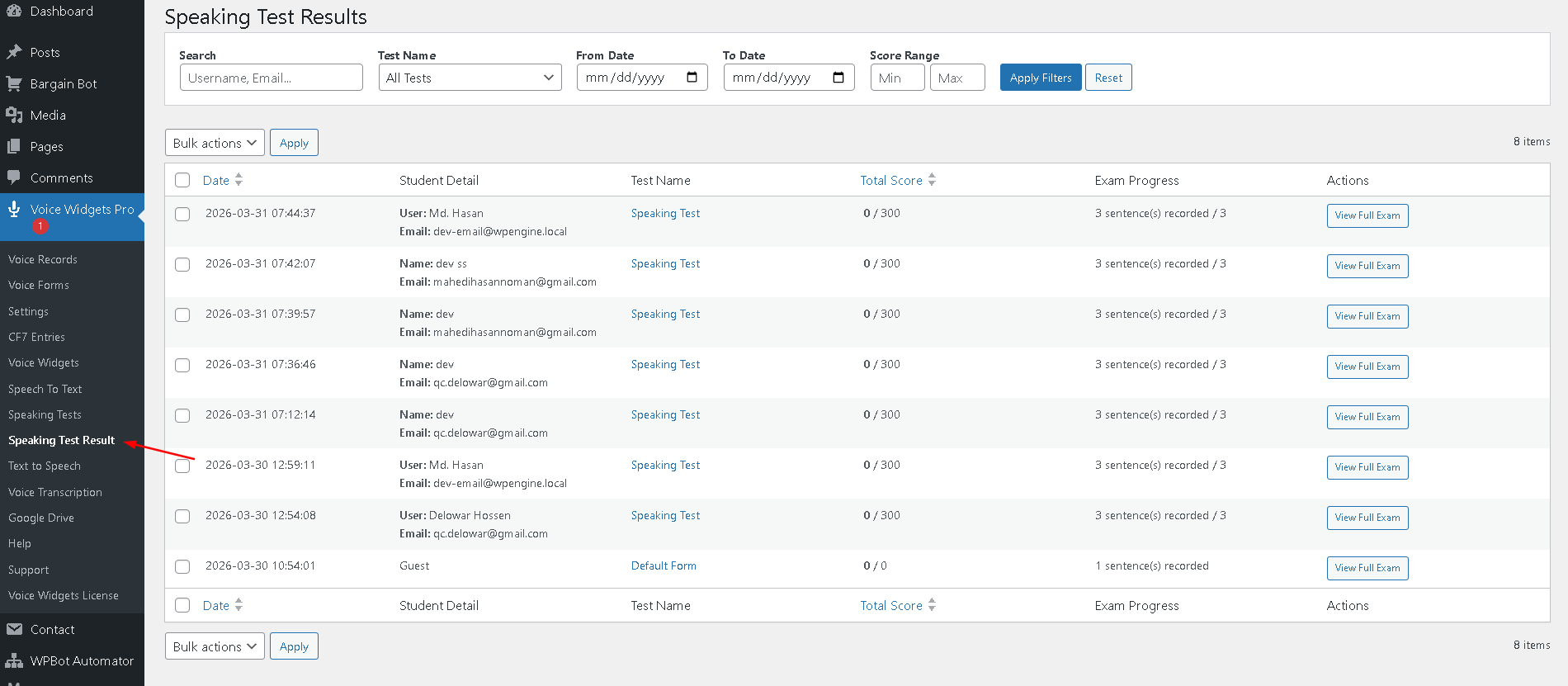
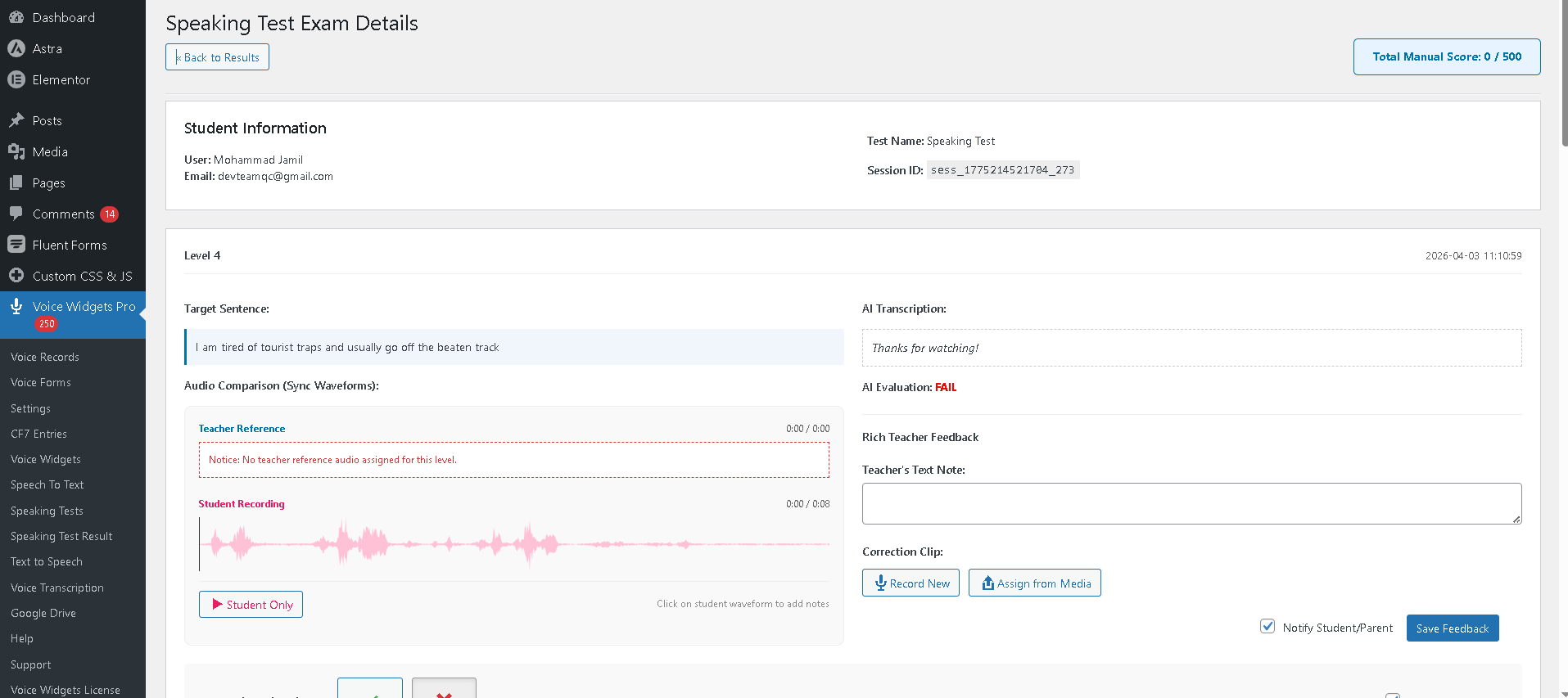
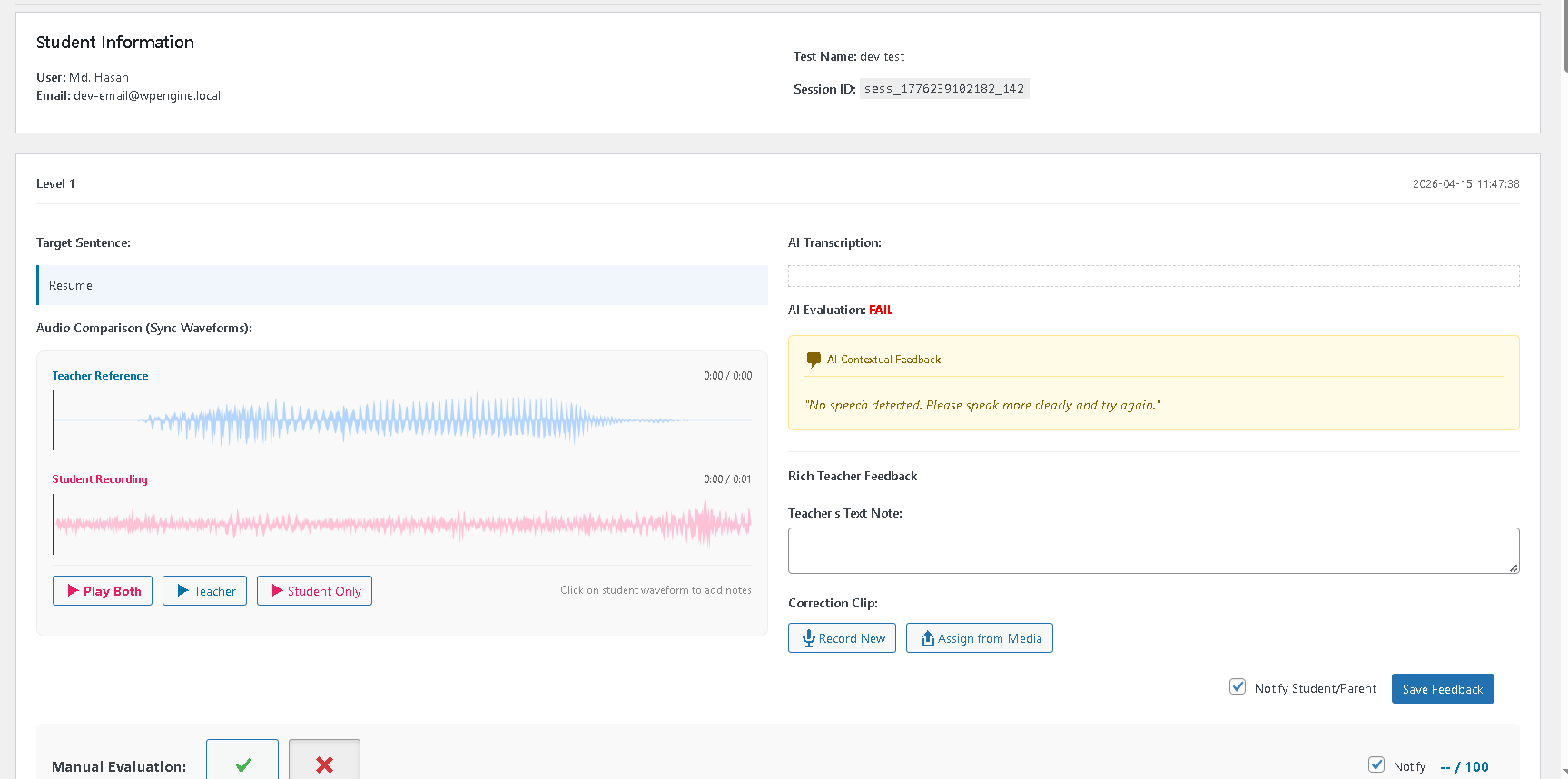
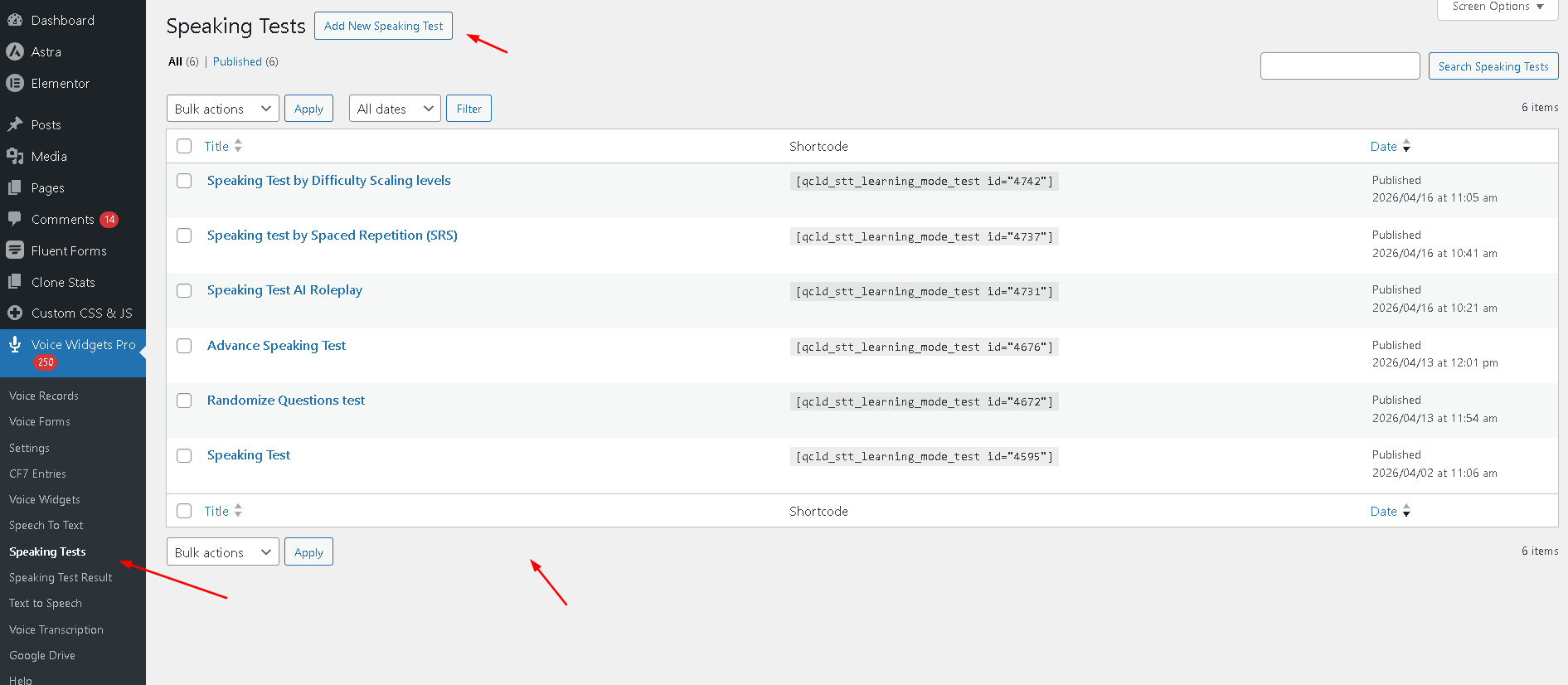
- Unlimited speaking tests with words, phrases, or full sentences
- Student voice recording via browser microphone
- Automatic AI evaluation using OpenAI Whisperor Google Cloud Speech
- Manual grading option with detailed feedback tools
- Student dashboard to view their own results
- Reference audio uploads or TTSfor model pronunciation
- Advanced modes like shadowing, roleplay, and spacedrepetition
All data stays on your server for privacy. No sending student voices to third-party platforms unless you choose AI features.
How Voice Widgets Pro Automates Speaking Assessment
-
Create Tests in Minutes
Upload word lists via CSV or let AI generate them based on topics (e.g., “Business English – Meetings”). Set difficulty levels. Add reference audio.
-
Students Practice Live
Shortcode embeds the test on any page. Students see the prompt, listen to model pronunciation, then record their attempt. They can replay and retry.
-
Instant Feedback Loop
AI scores pronunciation accuracy. It highlights problem areas. Students hear exactly where they differ from the model.
-
Teacher Review Dashboard
See all recordings in one place. Use waveform visualizers, add voice correction clips, leave timestamped notes. Bulk actions speed up grading.
-
Progress Tracking
Students view scores over time. Spaced repetition automatically brings back weak items. Mastery requires consistent high scores.
Step-by-Step: Building Your Automated Language Testing System
-
Set Up the Foundation
Install WordPress on good hosting. Add your LMS . Install Voice Widgets Pro.
-
Create Your First Speaking Test
Go to the plugin dashboard. Build a test set. Add words/sentences. Upload or generate model audio. Publish via shortcode on a lesson page.
-
Integrate with Your Courses
Embed tests inside lessons. Require completion before advancing. Combine with quizzes for full skills coverage.
-
Enable AI Evaluation
Connect OpenAI or use browser-based recognition. Set scoring thresholds. Configure automatic feedback messages.
-
Give Students Access
Logged-in users see their personal results page. Send weekly progress summaries automatically.
-
Monitor and Improve
Check the teacher dashboard regularly. Use insights to create targeted review lessons.
Key Features That Make It a Secret Weapon
- Dual Waveform Visualizer— Compare student vs. model pronunciation visually.
- AI Roleplay Scenarios— Practice real conversations (ordering food, job interviews).
- Exam Mode— One-shot recording for formal assessments with anti-cheat settings.
- Bulk CSV Upload— Import hundreds of vocabulary items fast.
- Voice Annotation Feedback— Record short correction clips for students.
- Spaced Repetition System (SRS)— Automatically reviews weak areas.
- Multilingual Support— Works across dozens of languages.
Pro tip: Combine with Text-to-Speech for listening practice and transcription tools for writing reinforcement. One plugin handles multiple skills.
Real Benefits for Busy Language Teachers
- Time Savings— Grade 50 speaking tests in the time you used to spend on 5.
- Better Student Outcomes— Immediate feedback leads to faster progress and higher confidence.
- Higher Completion Rates— Students practice more when it’s convenient and private.
- Scalability— Handle growing student numbers without hiring assistants.
- Professional Edge— Offer premium “AI-powered speaking coaching” that competitors can’t match.
- Data-Driven Teaching— Spot common pronunciation issues across your entire class quickly.
Use Cases That Shine with Voice Widgets Pro
- Exam Preparation(IELTS, TOEFL, CEFR speaking tests) — Simulate real test conditions with timed, one-attempt modes.
- Business Language Training— Roleplay meetings, negotiations, and client calls.
- Kids & Teens Programs— Fun, gamified practice with visual feedback.
- Corporate Upskilling— Track employee progress with detailed reports.
- Self-Study Courses— Fully automated speaking practice 24/7.
- Immigrant Integration Programs— Affordable, always-available conversation practice.
Voice Widgets Pro vs Other Solutions
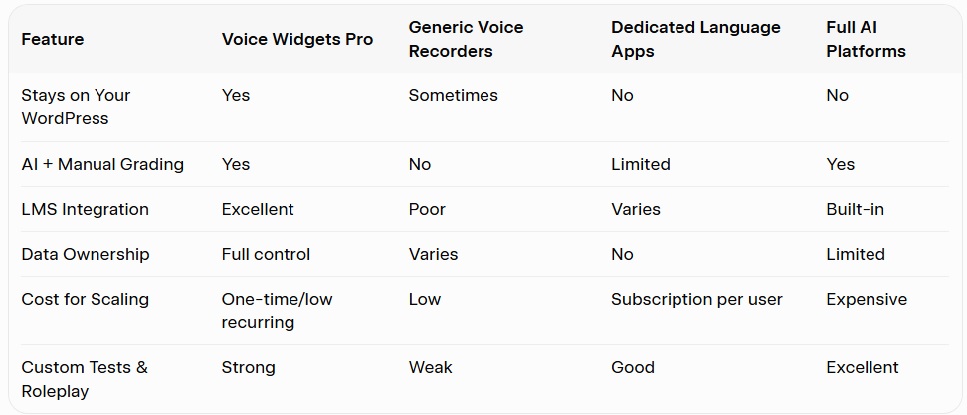
You keep full control and avoid per-student fees that kill margins.
Common Challenges and Smart Fixes
AI Accuracy: Start with common languages and clear speech. Combine AI scores with occasional manual review for advanced students. Improve over time with better prompts and reference audio.
Student Tech Issues: Provide clear instructions and a test recording page. Most modern browsers work fine with microphone access.
Motivation: Add gamification — badges for mastery streaks, leaderboards (carefully), and progress emails.
Privacy & Compliance: Everything stays on your server by default. Be transparent and offer clear consent for any AI processing.
Getting Started: Begin with one course and 20 vocabulary items. Test with a small group before full launch.
Measuring Success in Your Language School
Track these metrics:
- Average attempts per test
- Improvement in AI pronunciation scores over time
- Course completion rates
- Student feedback on confidence
- Time saved on grading (you’ll feel this immediately)
Use WordPress analytics and the plugin’s built-in reports.
FAQs
How accurate is the AI grading? Very good for pronunciation and word recognition in major languages. It works best with clear speech. Use it as a helpful coach rather than the final judge for high-stakes exams.
Do students need special equipment? No. Just a device with a working microphone and modern browser. It works on phones, tablets, and computers.
Can I use it without AI? Yes. Full manual grading mode is available and powerful.
Is it suitable for beginners? Absolutely. Create simple word-level tests for absolute beginners and scale up to complex roleplays.
How much does Voice Widgets Pro cost? Affordable one-site and multi-site plans with lifetime options available. Check current pricing on the official site.
Will it work with my existing LMS? Yes. Shortcodes make it easy to embed anywhere.
The End of Manual Grading Is Here
Voice Widgets Pro turns your WordPress site into a smart, automated speaking practice and testing platform. You spend less time grading and more time creating great content, marketing your courses, and actually teaching.
Students get the instant, personalized feedback they need to improve fast. You build a more scalable, profitable language business.
The tools exist right now. The students looking for better speaking practice are already online.
Your next step: Install the free version of Voice Widgets, test the speaking mode, then upgrade to Pro when you’re ready to launch real courses.
You don’t need a big team or expensive SaaS platform. You just need the right plugin and a clear plan.
Ready to kill manual grading for good? Your future students (and your free evenings) will thank you.
